Home
Explore Android
OverviewSafe internetFeaturesTourDownload
Explore iPhone
OverviewSee it in actionScreensKosher wallpaper
Kosher Switch for Schools
OverviewWhy schoolsCompareHow it works
Support
QuestionsContact us
🌐 עברית
Now on the App Store

A kosher iPhone.
No second phone.

אייפון כשר בלחיצה אחת

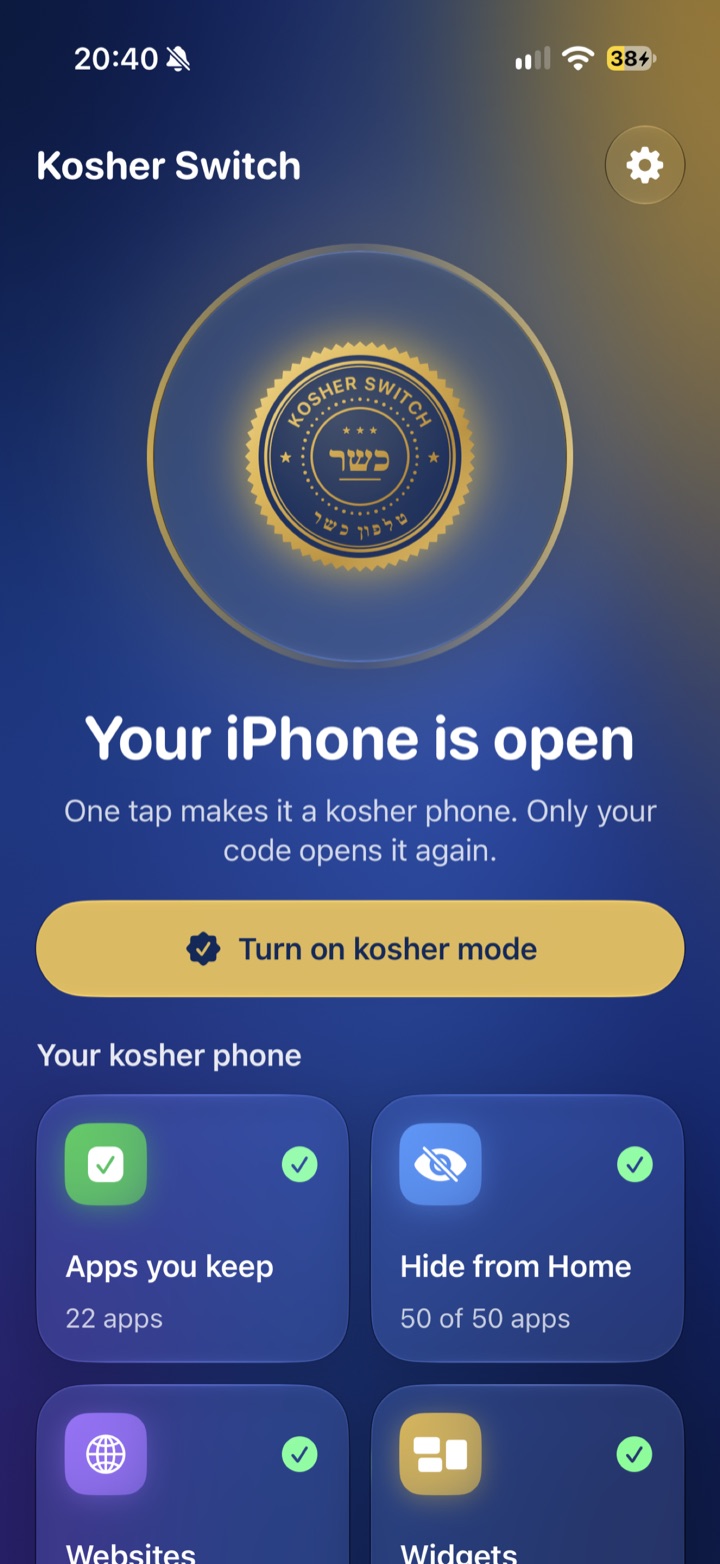
Kosher Switch uses Apple's own Screen Time. No computer and no reset: allow it once, choose your apps, and one tap makes your iPhone kosher. Leaving takes a code, and someone you trust keeps it.

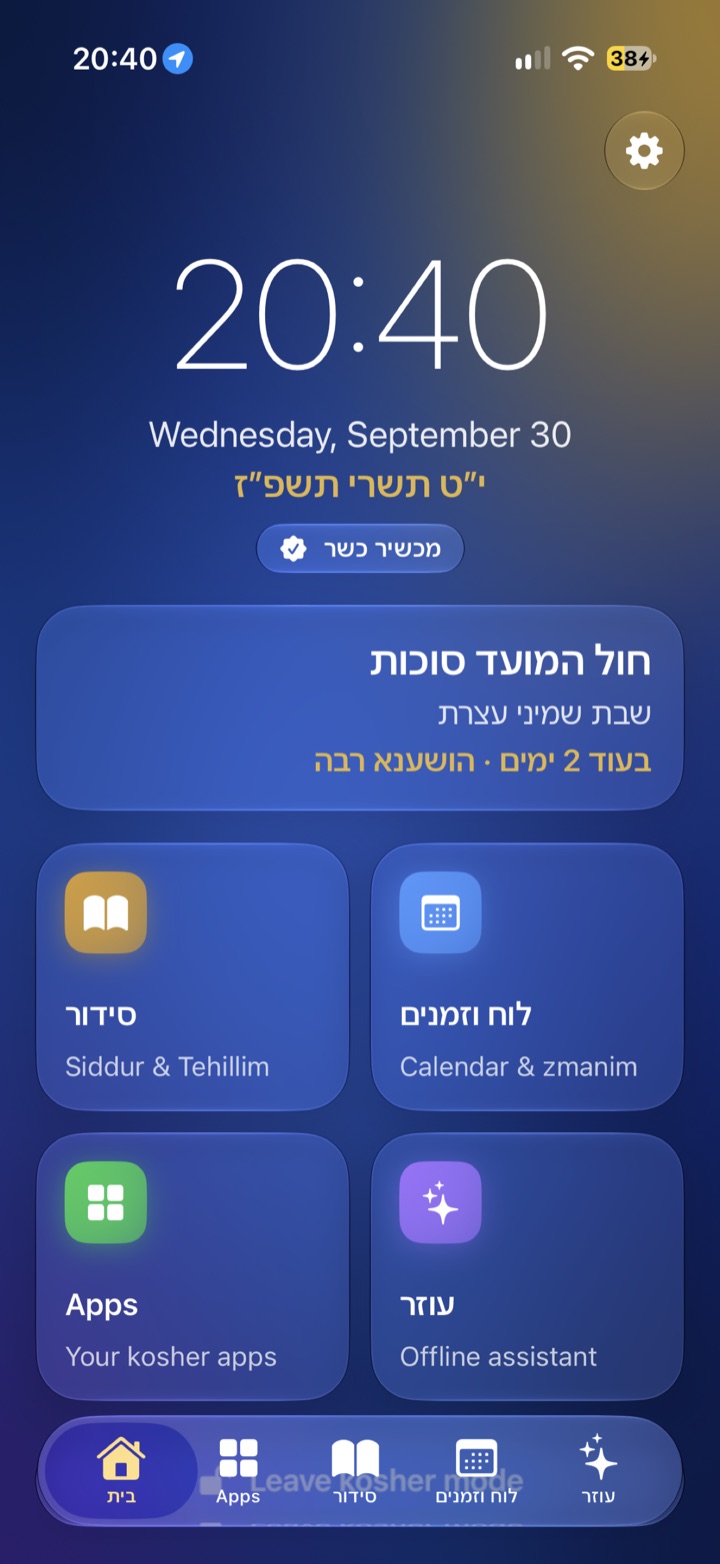
Kosher Switch on iPhone, open mode The kosher home on iPhone with the Hebrew date
Get it

Kosher Switch for iPhone

Kosher Switch is on the App Store for iPhone and iPod touch with iOS 15 or newer (on iOS 15, which includes every iPod touch, Apple allows it only on a child's device in Family Sharing). Plans: Personal €8.99/month or €99.99/year, Family €29.99/month or €229.99/year, shared through Family Sharing.

Download on the App Store
Open

Your iPhone,
as it is.

Every app, Safari, the App Store. Scroll to switch.

Kosher

A kosher
iPhone.

Only the apps you chose, a calm kosher home, websites blocked.

Safari · App Store · Everything

Phone · Messages · Siddur · Luach

No computer. No reset. Just Apple's own Screen Time, a golden switch, and a kosher iPhone.

The switch

One golden switch.

Choose the apps you keep, the apps that disappear, and how websites work. Then one tap turns on kosher mode. Only your code turns it off.

Kosher home

A calm kosher home.

The clock, the Hebrew date and what's coming up: חול המועד, Shabbos, the next chag. The siddur, luach and your apps are one tap away.

Your apps

Only the apps you chose.

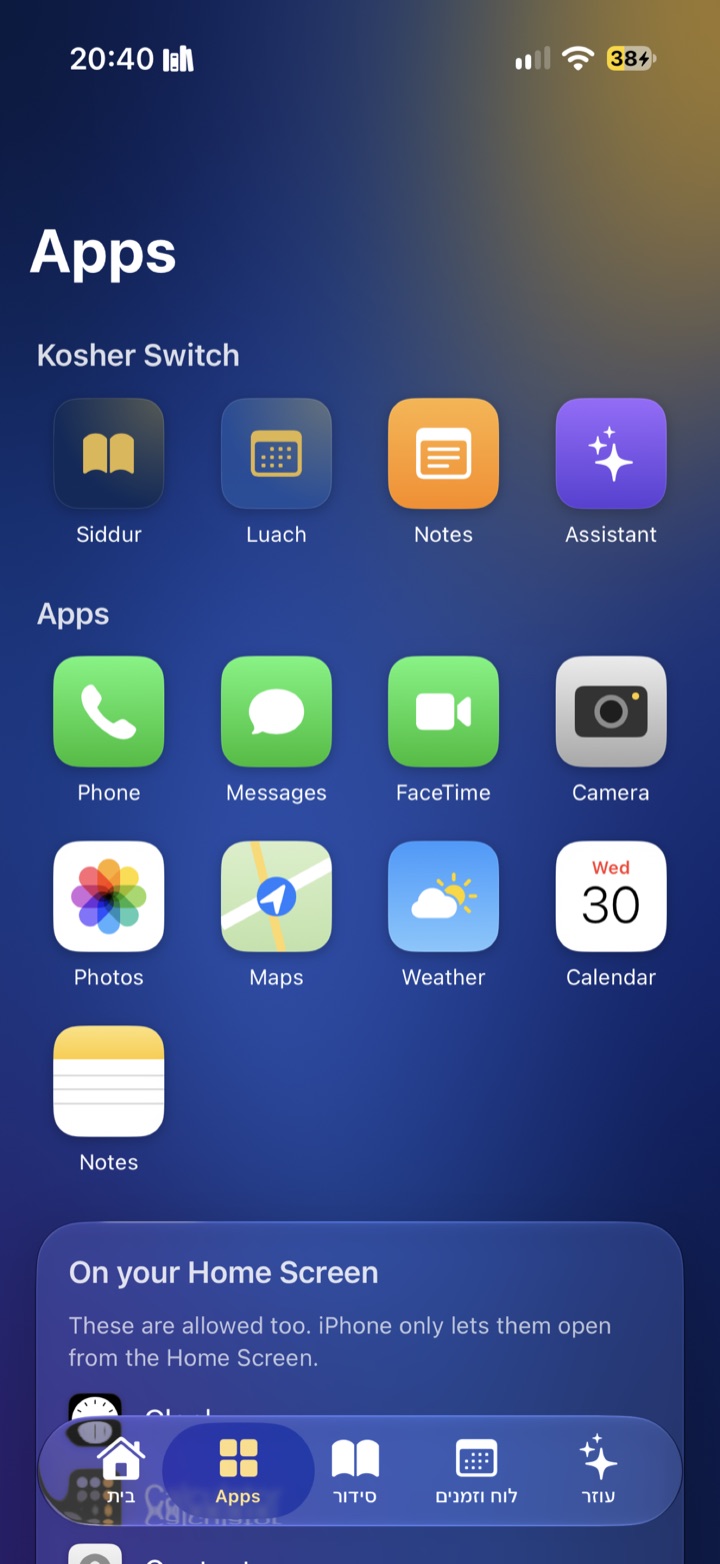
Phone, Messages, Camera, Maps, whatever you decided. Everything else is hidden from the Home Screen or shows the kosher screen.

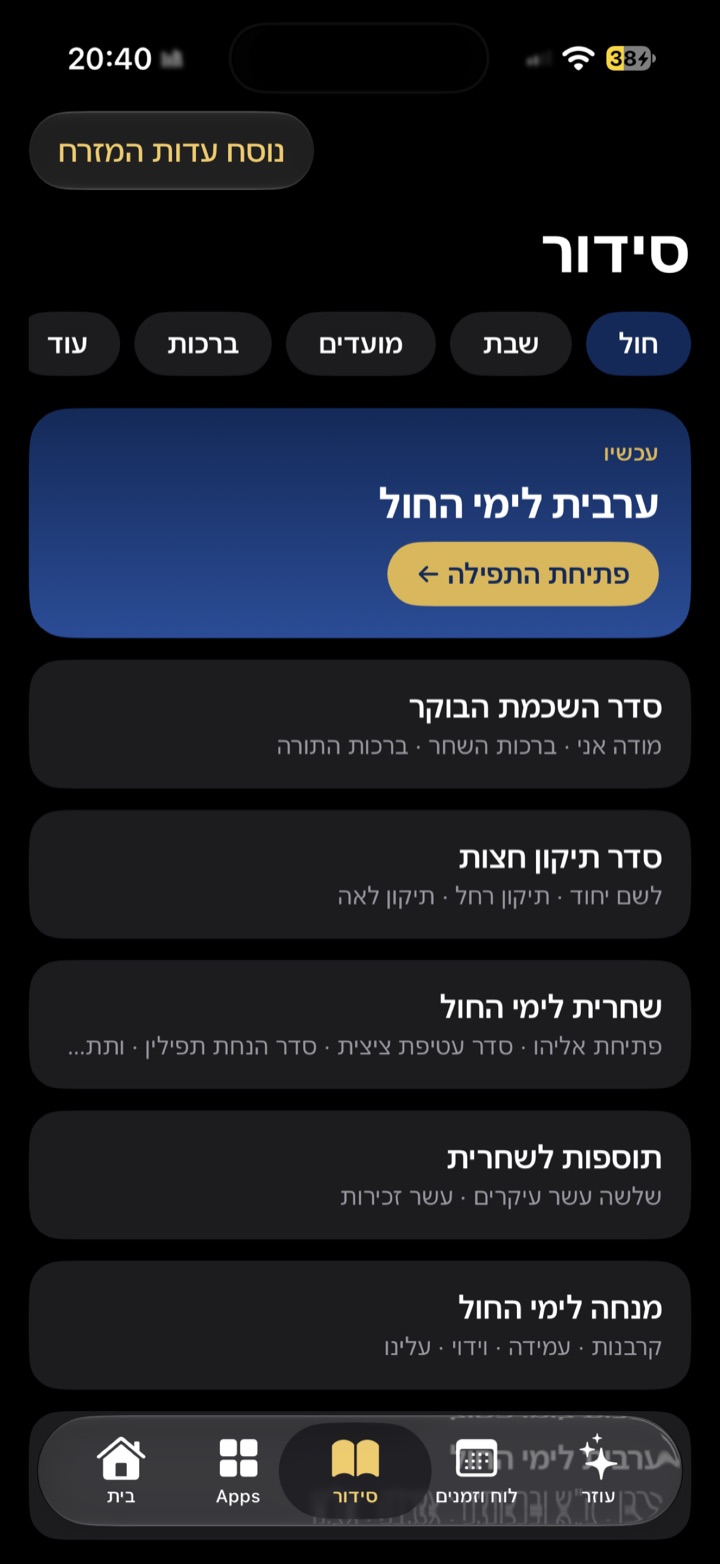
Siddur

A full siddur, in your nusach.

Ashkenaz, Sefard or Edot HaMizrach. It opens on the tefillah for right now, with every day, Shabbos and the moadim.

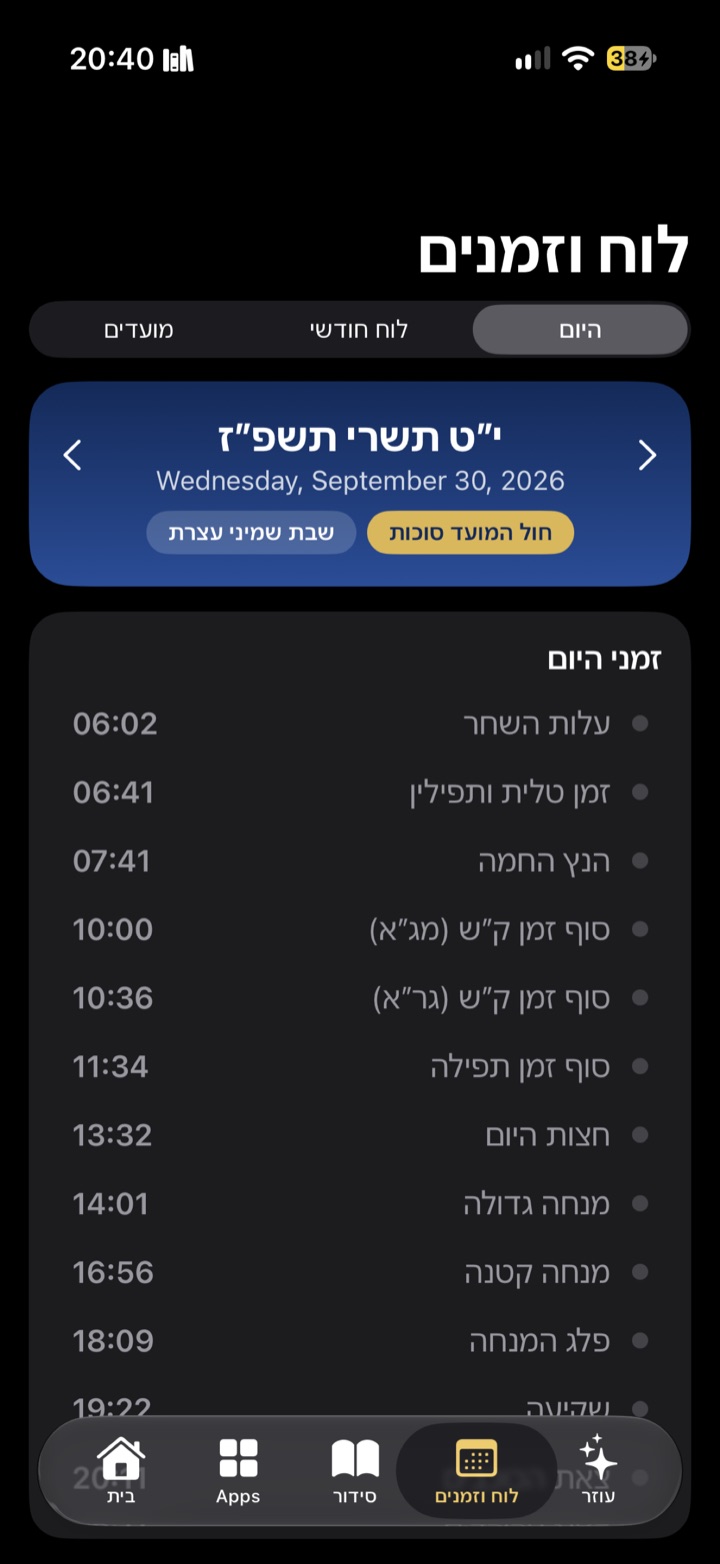
Luach

Zmanim for where you are.

Today's zmanim from alos to tzeis, a monthly luach and the moadim, calculated on the phone for your location.

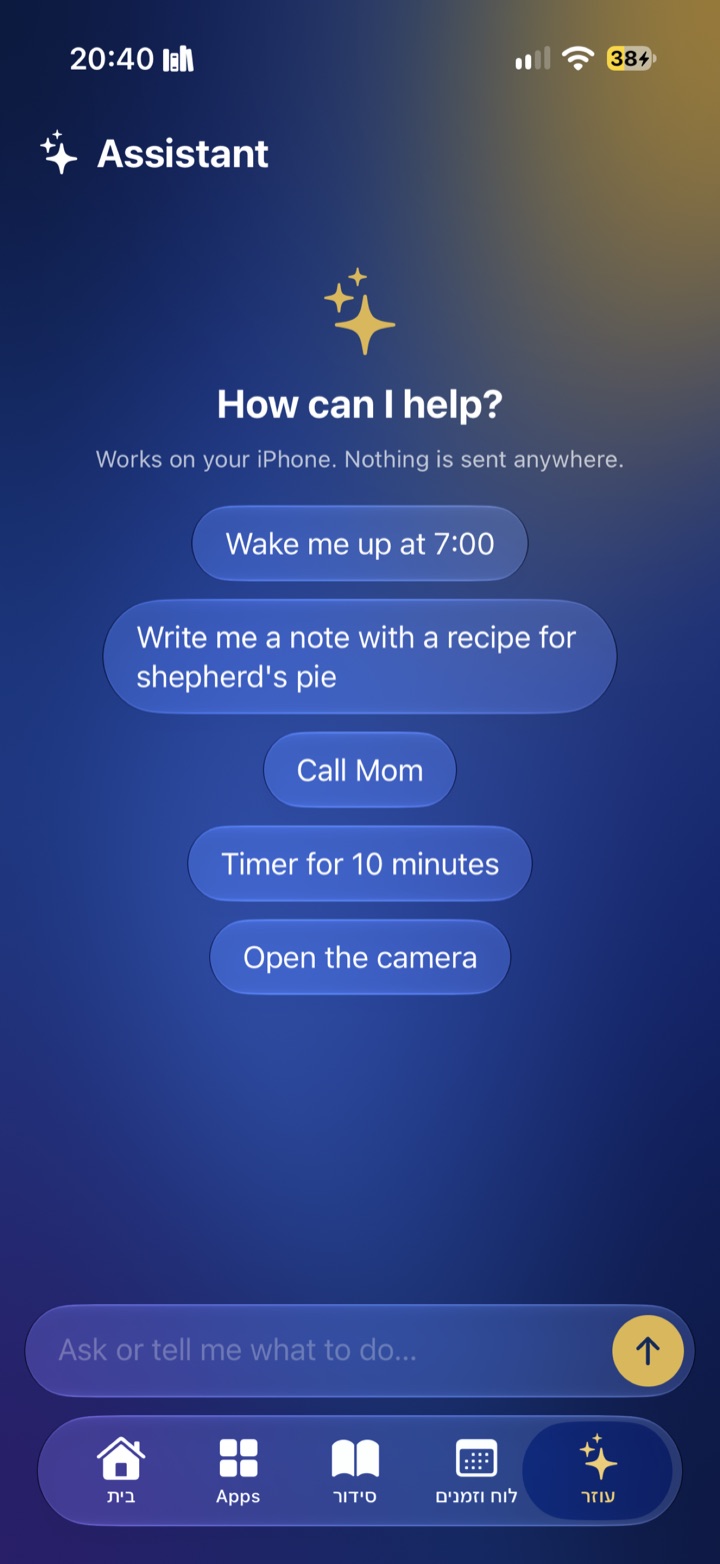
Assistant

An assistant that stays clean.

“Wake me up at 7”, “call Mom”, “a note with a recipe”. It works on the iPhone and nothing is sent anywhere. Off by default.
Built on Screen Time

Everything locked
the Apple way.

Kosher Switch uses Apple's own Screen Time controls, so blocked apps disappear from the Home Screen and websites are blocked everywhere, even inside apps.

🏠

A kosher Home Screen

Like a minimalist phone: a big clock, the Hebrew date and your apps as a calm list, made of Kosher Switch widgets.

50

apps can disappear

The ones you choose vanish from the Home Screen. Every other app shows the kosher screen.

🌐

No browser, our advice

Websites start fully blocked, Safari included. A kosher filter is there if you really need one.

כשר

In Control Center

The כשר button, and a Kosher Focus with its own wallpaper.

🔒

Locked tight

Can't be deleted in kosher mode. No installing apps; accounts and passcode locked.

👨‍👩‍👧

Family Sharing

On a child's iPhone, only the parent's Apple Account can remove Kosher Switch.

📖

All inside the app

Siddur, luach and zmanim, notes with drawing, and the assistant. Apple's Weather, Photos, Camera and Maps stay available if you allow them.

Screens

Made to feel calm.

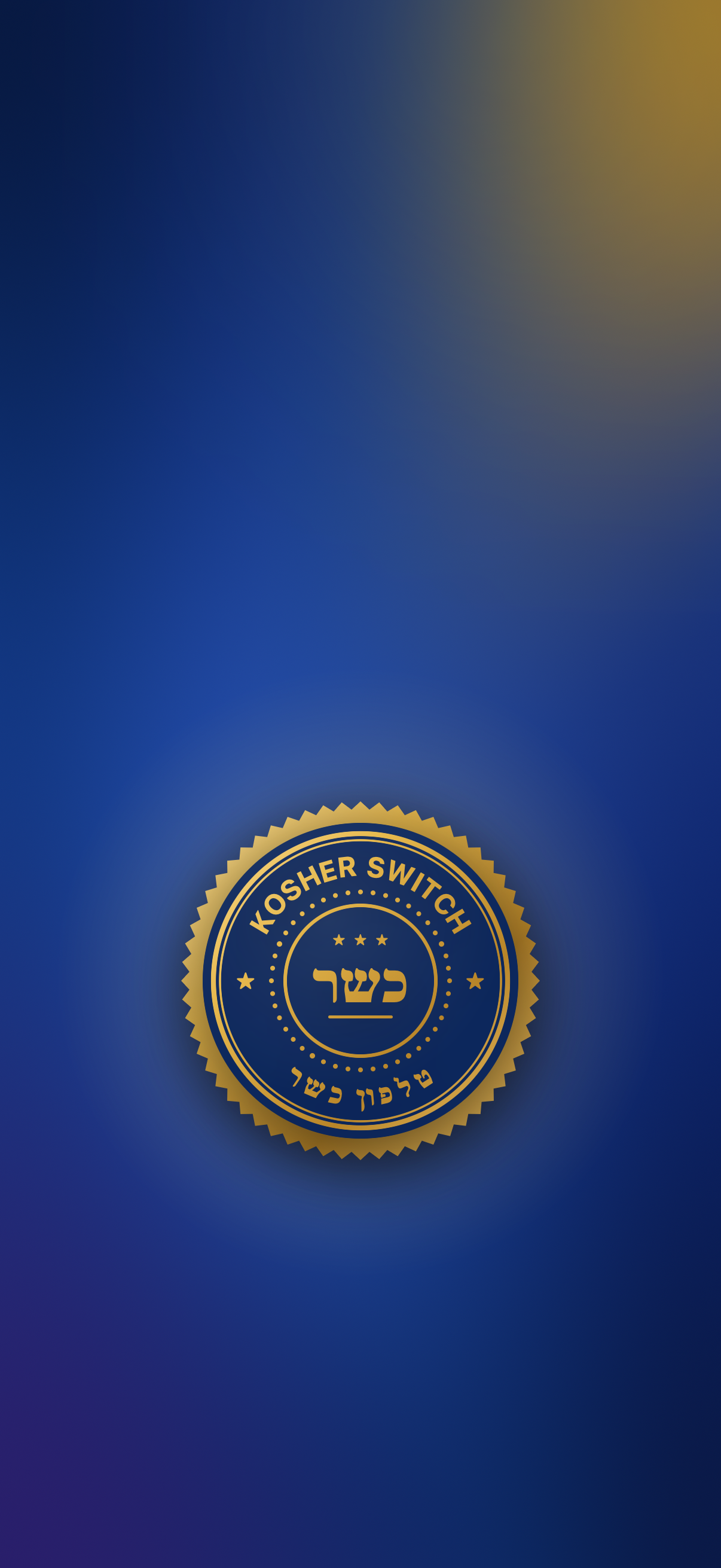
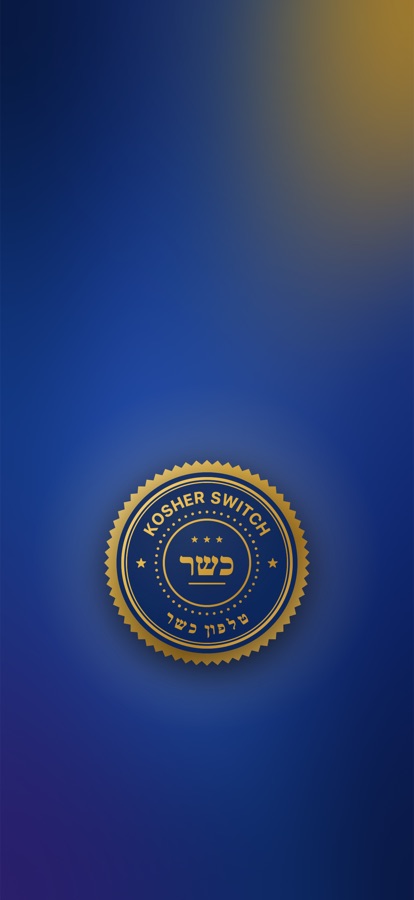
The Kosher Switch wallpaper: a deep-blue background with the gold seal
Kosher wallpaper

Give the Kosher Focus its own look.

iPhone doesn't let apps change the wallpaper, so we made one for you: deep blue with the gold Kosher Switch seal, placed low so the clock stays clear. Everyone can see at a glance that the phone is kosher.

  1. Download it on your iPhone and tap Save to Photos (or in the app: Kosher Home Screen → Save the wallpaper).
  2. Settings → Focus → Kosher → Customize Screens → choose it for the Lock Screen.
⬇ Download the wallpaper
How it works

Four steps, all in the app.

Allow Screen Time

Once, with Face ID. For a child's iPhone in Family Sharing, the parent approves with their own Apple Account.

Keep & hide

Choose the apps you keep, and up to 50 apps that disappear from the Home Screen. Everything else shows the kosher screen.

Choose a code

Let the person you trust type it. Only that code turns kosher mode off.

Tap כשר

In the app or in Control Center. A Kosher Focus can switch the wallpaper and Home Screen with it.

Privacy & support

Nothing leaves your phone.

Kosher Switch for iPhone collects no data. There are no accounts, no analytics and no ads.

  • Screen Time: the apps you choose are stored by Apple as private tokens; Kosher Switch can't even see their names.
  • Location is used only on the phone, to calculate zmanim.
  • Contacts are read only when you ask the assistant to call or message someone.
  • The assistant uses Apple's on-device model; your questions never leave the phone.

Questions or problems? Email kosherswitch@outlook.com or open an issue on GitHub.

Kosher Switch is not a kashrut certification. Parents remain responsible for how a phone is used.

The Kosher Switch seal

Ready when you are.

Kosher Switch is on the App Store now.