This is a phone.
Every app, every site, every ping. All of it, all the time.
Now, purify it.
Everything that doesn't belong is pulled away.
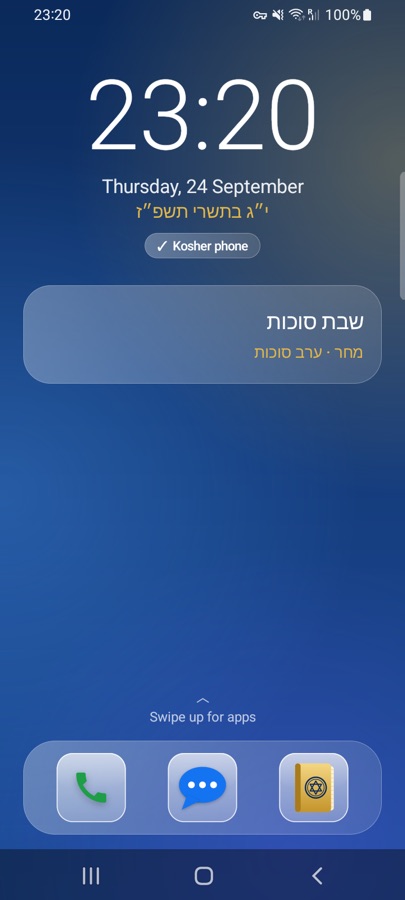
This is a kosher phone.
Only what you chose. Only the code opens it again.
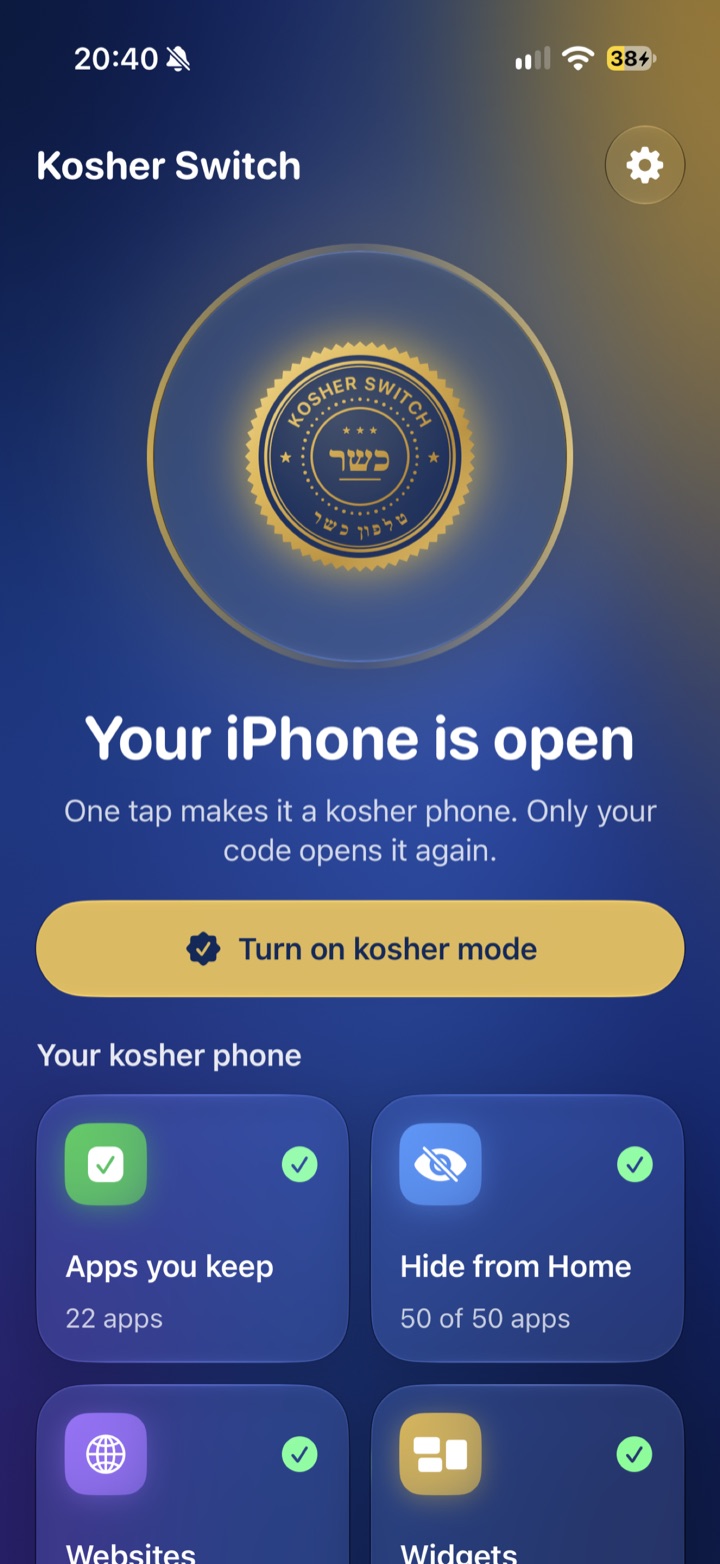
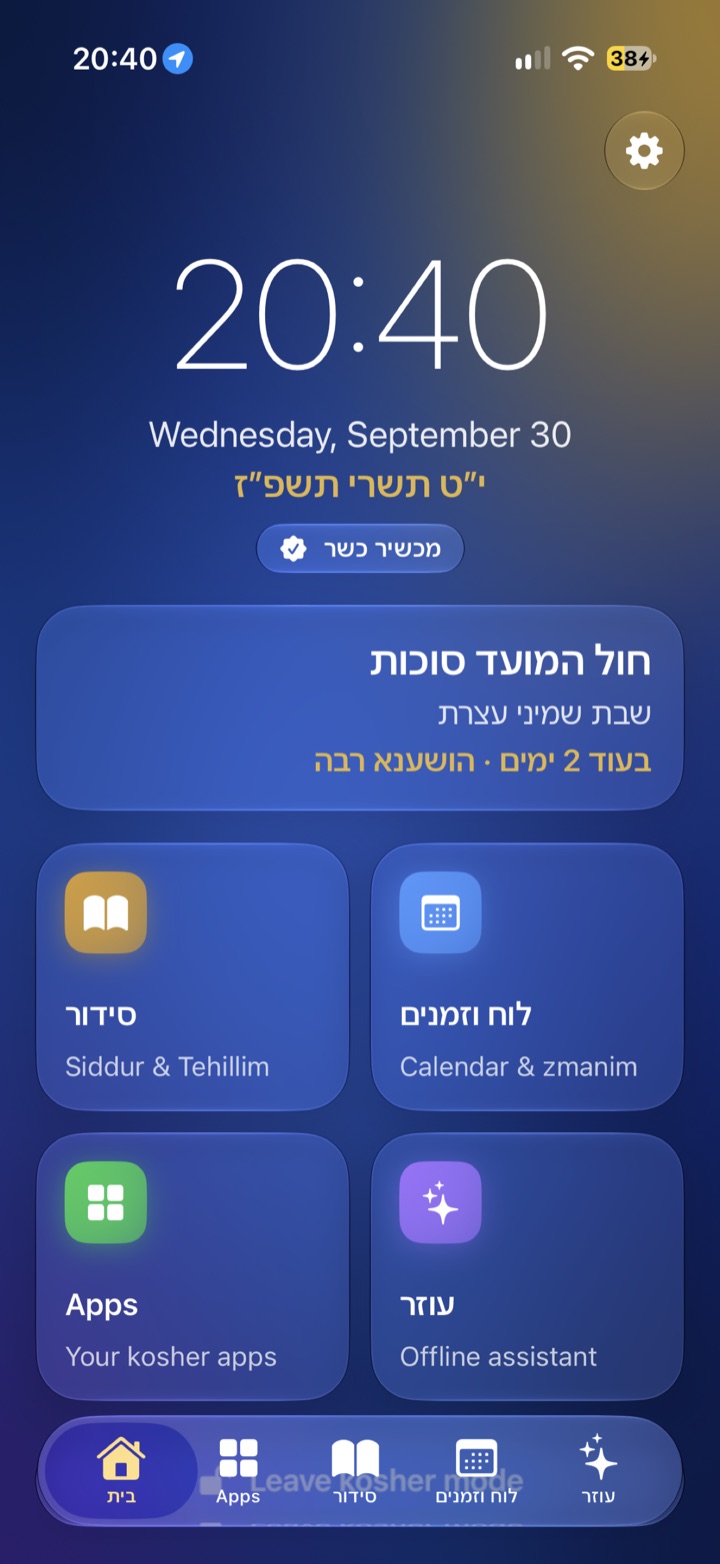





A filter you can switch off yourself isn't much of a filter. With Kosher Switch, the person you trust chooses the code, and only that code opens the phone again.
Most people think a filter
ruins the phone.
Some do. They fight the phone all day. Kosher Switch changes the phone once, and then gets out of the way.
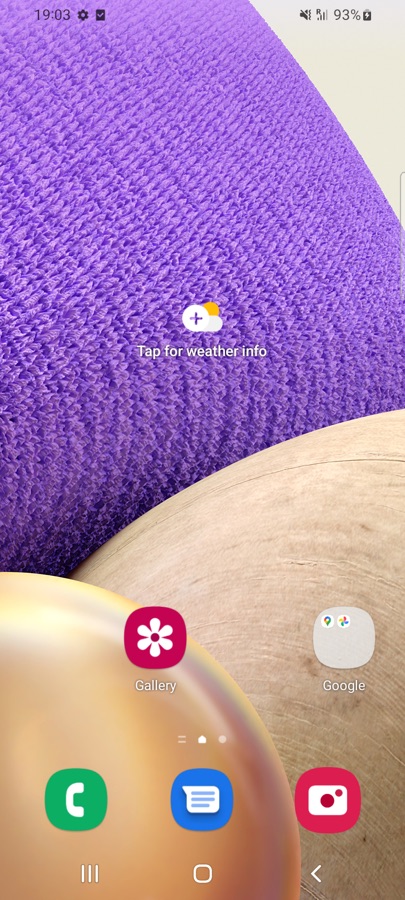
An illustration. Some filters work well; many feel like this.
Keep the smartphone.
Lose what doesn't belong.
Most families are stuck choosing between an open smartphone and a basic phone that can't do WhatsApp, maps or a banking app. We think a phone can be both.
Someone else holds the key
The person who chooses the code is the only one who can open the phone again. Not the person holding it.
The phone itself changes
Not a blocker to click past. Only your apps remain, the internet closes, and it stays that way after a restart.
tap to go kosher
From the swipe-down panel on Android, or Control Center on iPhone.
browsers by default
Our advice for a kosher phone. You decide what to add.
nusachim in the siddur
Ashkenaz, Sefard and Edot HaMizrach, with a luach and zmanim.
No browser.
Not even a kosher one.
No filter catches everything, and the open web is exactly what a kosher phone keeps out. So Kosher Switch comes with no browser. Apps like WhatsApp or Waze can still go online when you allow them.
🌐 A browser
Off by default on Android and iPhone. If a family really needs one, the safest options are there, and the app asks once more first.
💬 The assistant
Works offline, with guard rails in Hebrew and English. Off by default too.
📱 Just what's needed
Calls, messages, the camera, maps, a siddur and a luach. Let only those few go online.
Android or iPhone.
Each works the way its phone allows.
Kosher Switch
for Android
Its own kosher home screen, internet only for apps you allow, and a family filter. Samsung, Pixel, Xiaomi and keypad phones.
New · 1.4Kosher Switch
for iPhone
Built on Apple's Screen Time: apps hidden or locked, websites blocked, and a calm kosher Home Screen.
On the App StoreKosher Switch for Schools
Every student. Every device. Kosher. The school decides what's allowed, the parents keep the code.
 This device belongs to Your School
For your child.
For yourself.
A kosher phone works best when the person using it doesn't hold the key.
Parents
Give your child a phone without giving them the internet. You choose the apps and the code; they get calls, messages, the camera, a siddur and a luach.
- Only you can leave kosher mode
- Can't be deleted, not even after a restart
- On iPhone, Family Sharing makes you the only one who can remove it
Yourself
Want a kosher phone but keep your smartphone? Hand the phone to someone you trust, a spouse, parent, rav or chavruta, and let them choose the code.
- No second phone to carry
- Your usual phone comes back with the code
- No filter to click past
The whole family
Every phone gets its own code and its own list of apps. Simple enough for a grandparent, strict enough for a teenager.
- Works on the phones you already have
- Hebrew and English
- No accounts and no ads
One plan for you.
One for the whole family.
No ads, no accounts, no data sold. Turning kosher mode off is always free.
Personal
One phone.
€8.99 / month
€99.99 / year
- Kosher mode, Siddur, Luach and Notes
- Every update
Family
Every phone and iPad in your family.
€29.99 / month
€229.99 / year · save 36%
- On iPhone: shared through Apple Family Sharing (up to 6 people)
- On Android: one key for up to 6 phones
- Each phone keeps its own code and apps
On iPhone the plans are in the App Store now. On Android, paid plans are coming soon; until then it's free. Prices include VAT; outside the euro area you pay about the same in your own currency.
Good to know.
Should a kosher phone have a browser?
We recommend no browser at all, not even a filtered or “kosher” one. No filter is perfect, so Kosher Switch comes with no browser by default. If you really need one, you can allow it yourself: on Android the Kosher Browser covers pictures of people and every allowed app goes through the family filter. It's our advice; the choice is yours.
Is Kosher Switch a kosher filter?
It works like a kosher filter for the whole phone. In kosher mode only the apps you choose are visible, the internet is blocked except for apps you allow (and those still go through a family filter with SafeSearch), and nothing can be installed, removed or changed without the code. Unlike a browser filter, it can't be bypassed by another app or a different browser.
Can it cover pictures of people, like a kosher computer filter?
Yes, in the Kosher Browser (new in 1.3.2), though our advice is to have no browser at all. Every picture is checked on the phone before it appears, and any picture with a person in it stays covered, even on Google Images. Pictures without people, like nature, food and maps, still show. While website pictures are off, the Google app and other browsers stay offline, so searching happens in the Kosher Browser.
האם אפשר להסתיר תמונות של אנשים, כמו בסינון למחשב?
כן, בדפדפן הכשר (חדש בגרסה 1.3.2). כל תמונה נבדקת בטלפון לפני שהיא מופיעה, וכל תמונה שיש בה אדם נשארת מכוסה, גם בחיפוש תמונות של גוגל. תמונות בלי אנשים, כמו נוף, אוכל ומפות, מוצגות כרגיל. כשתמונות באתרים כבויות, אפליקציית גוגל ודפדפנים אחרים נשארים בלי אינטרנט, והחיפוש נעשה בדפדפן הכשר.
How do I make my Android phone kosher?
Install Kosher Switch with the QR code or a computer (one time), choose the apps and a code, and tap the Kosher Switch tile. The phone becomes a kosher phone instantly, and only the code turns it back. It works on Samsung, Google Pixel, Xiaomi and most Android phones.
Is there a kosher filter for Samsung phones?
Yes. Kosher Switch works on Samsung Galaxy phones with Android 10 or newer, including the A series and S series, and on keypad phones like the Qin.
מה זה Kosher Switch?
אפליקציה שהופכת טלפון אנדרואיד או אייפון רגיל לטלפון כשר בלחיצה אחת, ובחזרה רק עם קוד. מתאים להורים שמכינים טלפון לילד, ולמי שרוצה טלפון כשר לעצמו עם אדם שהוא סומך עליו שמחזיק את הקוד. כולל סידור ותהילים, לוח ושעות היום, ועוזר קולי שעובד בלי אינטרנט.
איך הופכים טלפון רגיל לטלפון כשר?
מתקינים את Kosher Switch פעם אחת (עם קוד QR או מחשב), בוחרים אילו אפליקציות מותרות וקוד, ולוחצים על המתג. במצב כשר רואים רק את האפליקציות שנבחרו, האינטרנט חסום חוץ ממה שמותר, ואי אפשר להתקין או למחוק אפליקציות. זה עובד כמו סינון כשר לכל הטלפון.
How much does it cost?
Personal is €8.99 a month or €99.99 a year. Family is €29.99 a month or €229.99 a year and covers every phone in your family. On iPhone the plans are in the App Store now; on Android they're coming soon, and until then it's free. No ads, no accounts, and turning kosher mode off is always free.
Is there an iPhone version?
Yes, it's on the App Store. It's built on Apple's Screen Time, so it needs no computer and no reset. iPhone doesn't allow any app to replace the Home Screen or block the Phone and Settings apps, so on iPhone Kosher Switch gives you a kosher Home Screen made of widgets and a Kosher Focus instead.
I want it for myself. Who should hold the code?
Anyone you trust and see often: a spouse, a parent, your rav or a chavruta. Install Kosher Switch, hand them the phone at the "choose a code" step, and let them type it without you watching. When you need your full phone, ask them.
Why does setup need a QR code or a computer?
Android only lets an app lock a phone if it's made the "device owner" in a special, one-time way. That rule protects everyone from malicious apps. Every parental-control and kosher-filter app on Android works like this.
Can someone get around kosher mode?
Kosher mode blocks the Settings app, installing and uninstalling, account changes, VPN and DNS changes, factory reset from Settings, safe mode and USB debugging, and it survives restarts. A full factory reset with the hardware buttons can't be blocked by any app, but it erases the whole phone, so it can't happen unnoticed. No phone is 100% bypass-proof; this is a strong lock, not a guarantee.
Does the assistant need internet?
No. It runs completely on the phone. Its AI part is an optional 1.6 GB download over Wi-Fi, done once in open mode. Nothing you ask is sent anywhere. It's a small model, so answers are simpler than online AI, and recipes get an automatic kashrut check.
Which phones does it work on?
Any Android phone with Android 10 or newer and a 64-bit processor: Samsung, Google Pixel, Xiaomi and Redmi, keypad phones like the Qin F21 Pro, Motorola, OnePlus and others. It's fully tested on the Samsung Galaxy A32 5G (Android 12), with more phones being tested. QR setup also needs Google's setup screen.
Why does it need Developer options, when other apps don't?
Most apps only control themselves. Kosher Switch controls the whole phone: it hides other apps, cuts their internet and locks Settings. Android gives that "master key" only through a special one-time setup, so no downloaded app (or virus) can lock a phone on its own. The setup proves the phone's owner really wants it. Every parental-control and kosher-filter app on Android has the same step.
Is this a kashrut certification?
No. Kosher Switch is a tool. For a certified kosher phone, speak to your rav or a recognized kashrut organization. Parents remain responsible for how a phone is used.
How do I remove it?
On Android it protects itself as device owner, so removing Kosher Switch requires a factory reset. Back up the phone first. On iPhone, leave kosher mode with the code and delete it like any app; if a parent set it up through Family Sharing, the parent has to approve.
Questions? Write to us.
Families, schools, organizations and anyone curious. We read every message and answer in English or Hebrew.
Or email us at kosherswitch@outlook.com